Fleet Settings
Driving Behavior Scoring Settings
Section titled “Driving Behavior Scoring Settings”The platform scores the driver’s driving behavior according to the set rules. The scoring uses a penalty system, with a maximum of 100 points and a minimum of 0 points.
For different alerts, set the single deduction value for each alert trigger, as well as the cumulative maximum deduction value for that alert.
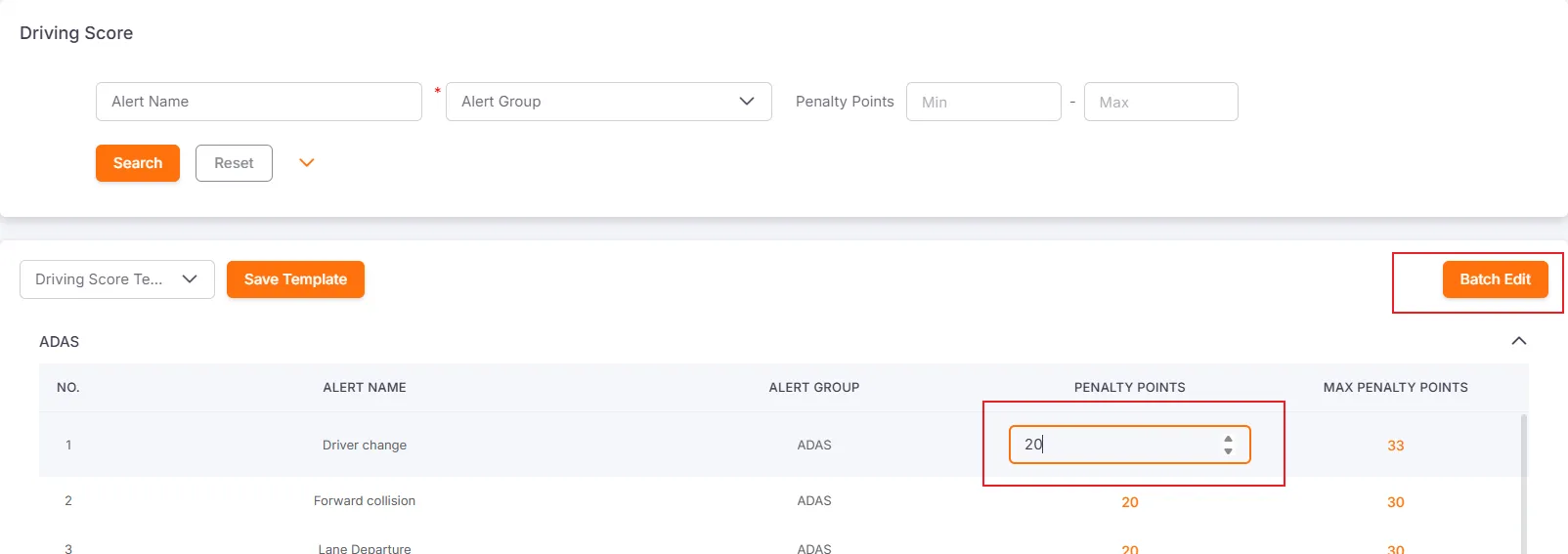
Users can set the single deduction value and the cumulative maximum deduction value for different types of alerts. After entering the score in the input box, click on a blank area of the page to save.
Batch Edit Driving Behavior Scoring Settings
Section titled “Batch Edit Driving Behavior Scoring Settings”By clicking on the Score Value or Maximum Score Value cell, you can configure the score of a single alert.
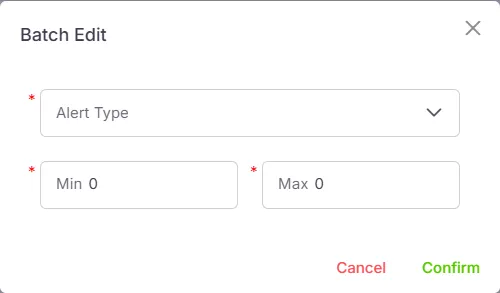
Click the Batch Edit button to set the deduction value and the maximum deduction value for multiple alerts at the same time.
Quick Alert Search
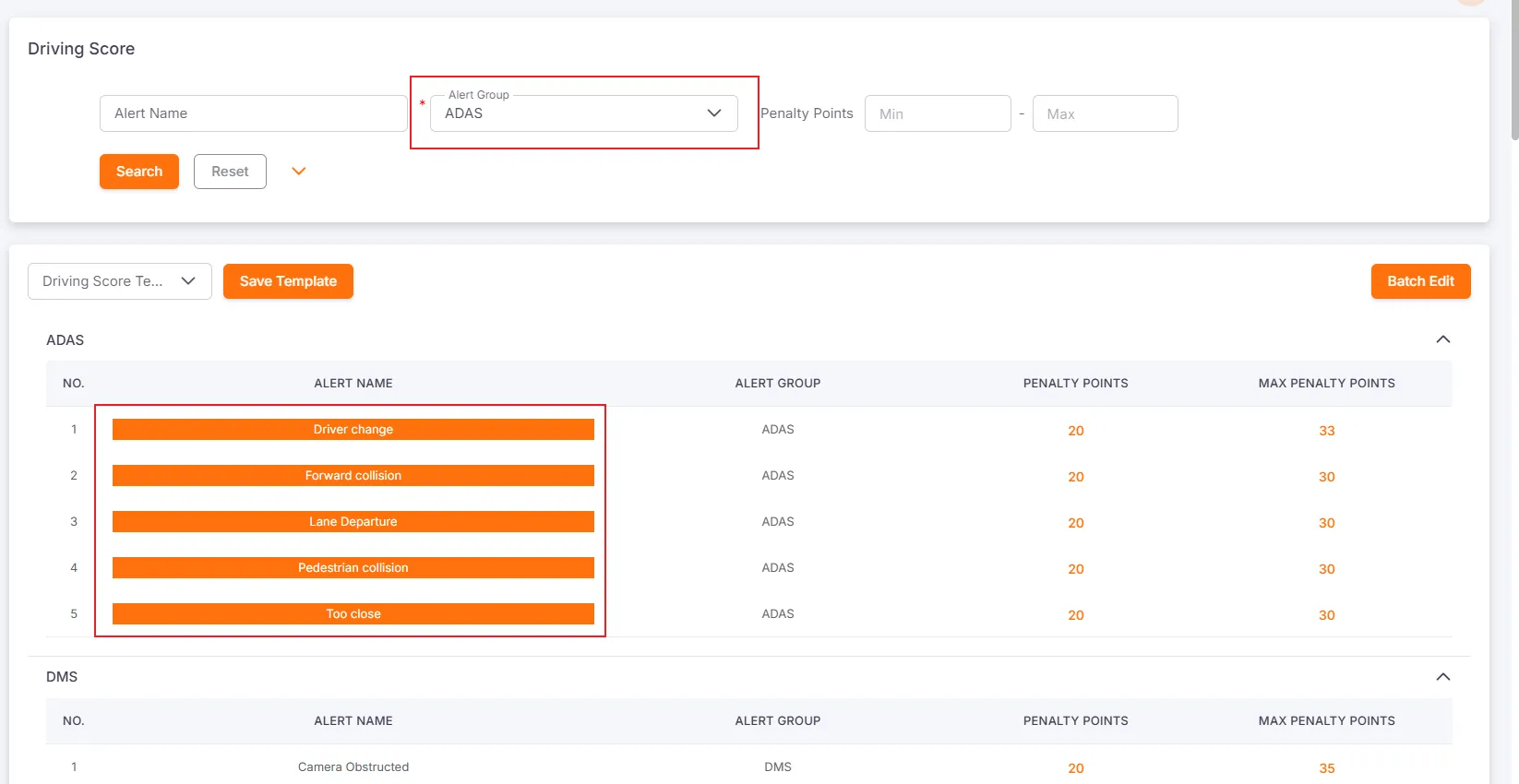
Section titled “Quick Alert Search”You can search alerts by name, type, or deduction value. Matching alerts are highlighted to help you quickly locate and adjust their scoring configuration.
Scoring Templates
Section titled “Scoring Templates”You can save the current scoring configuration as a template and reuse it later.
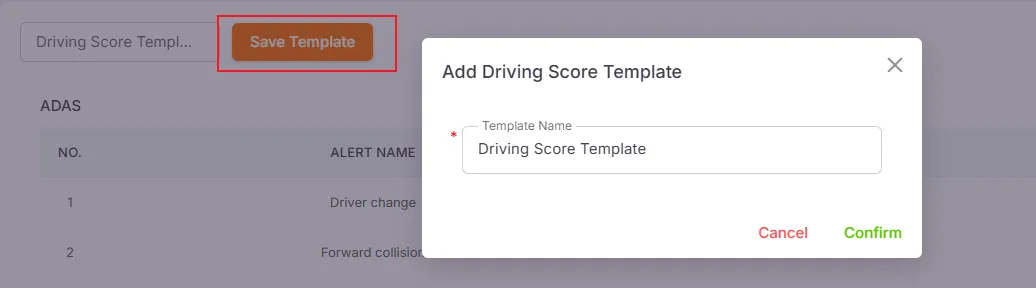
After saving, new templates appear in the template list. Selecting a template applies its configuration and overwrites the current scoring settings.
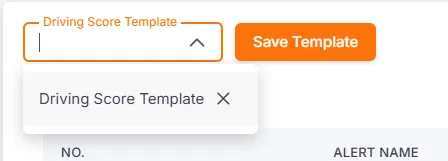
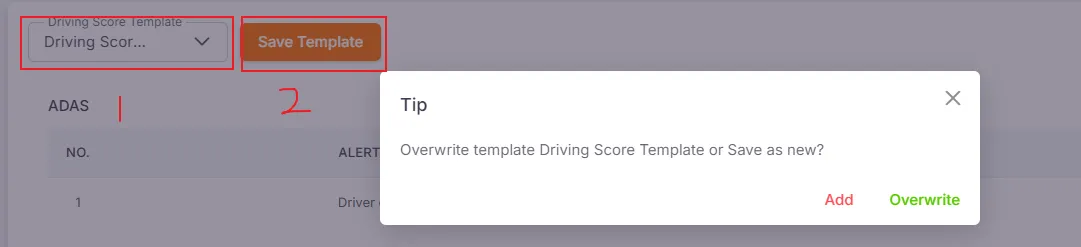
If you modify alert scores after applying a template, click Save Template to overwrite the original template with the latest changes, or create a brand-new template instead.
Work Schedule
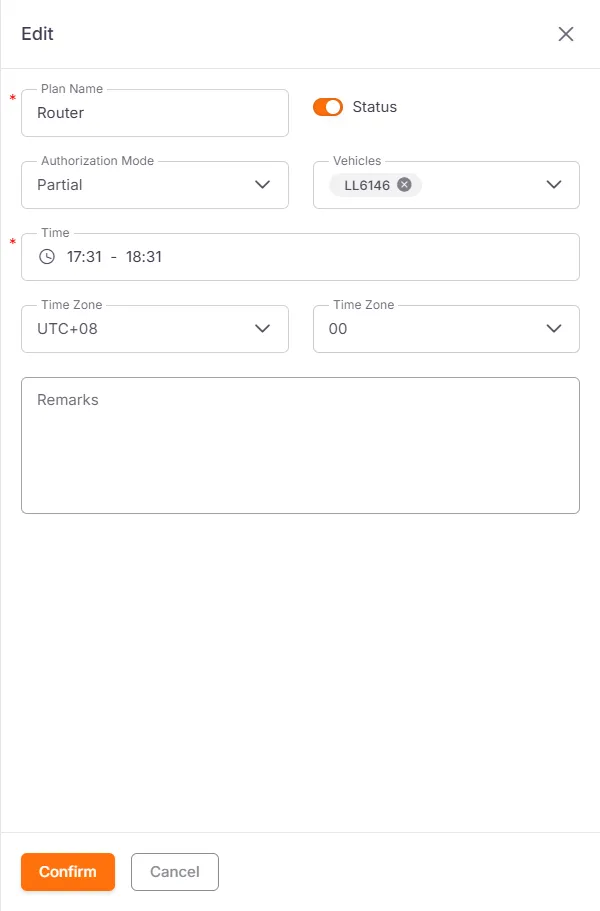
Section titled “Work Schedule”Users can set work schedules for vehicles. The association between vehicles and work schedules is mainly used to trigger off-schedule alerts. Here you can create, edit, delete, enable, or disable work schedules.
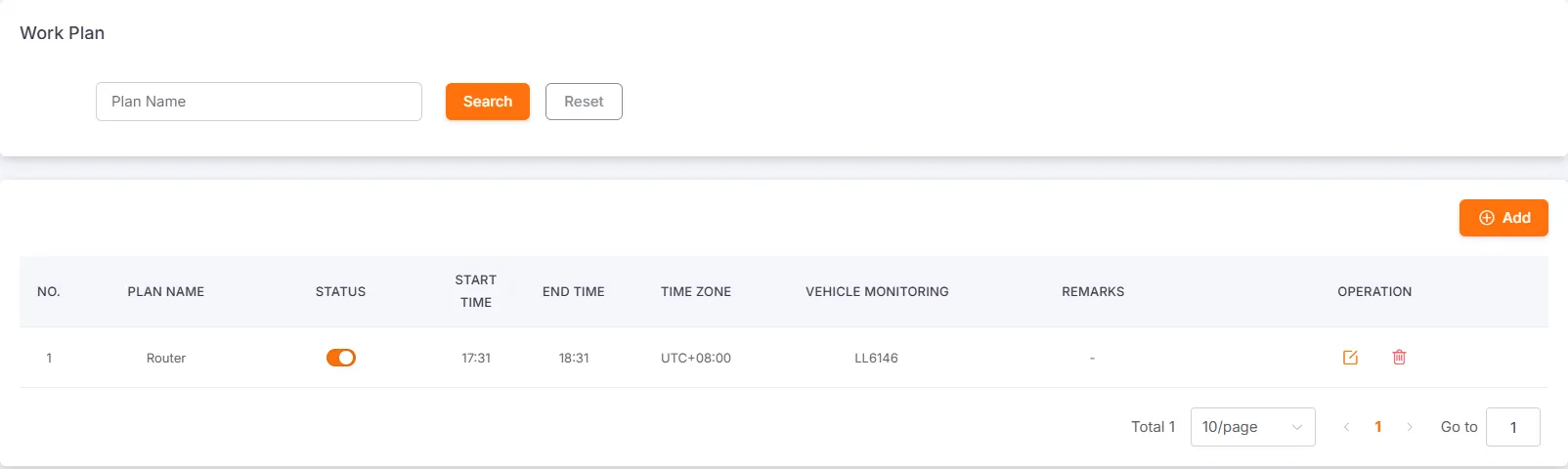
Create and Edit
Section titled “Create and Edit”Required Fields: Work Name, Time
Default Fields: Status, Authorization Method, Time Zone
Optional Fields: Vehicle, Memo