User Management
Manage sub-user accounts, including creating, editing, authorizing, resetting passwords, and deleting users.
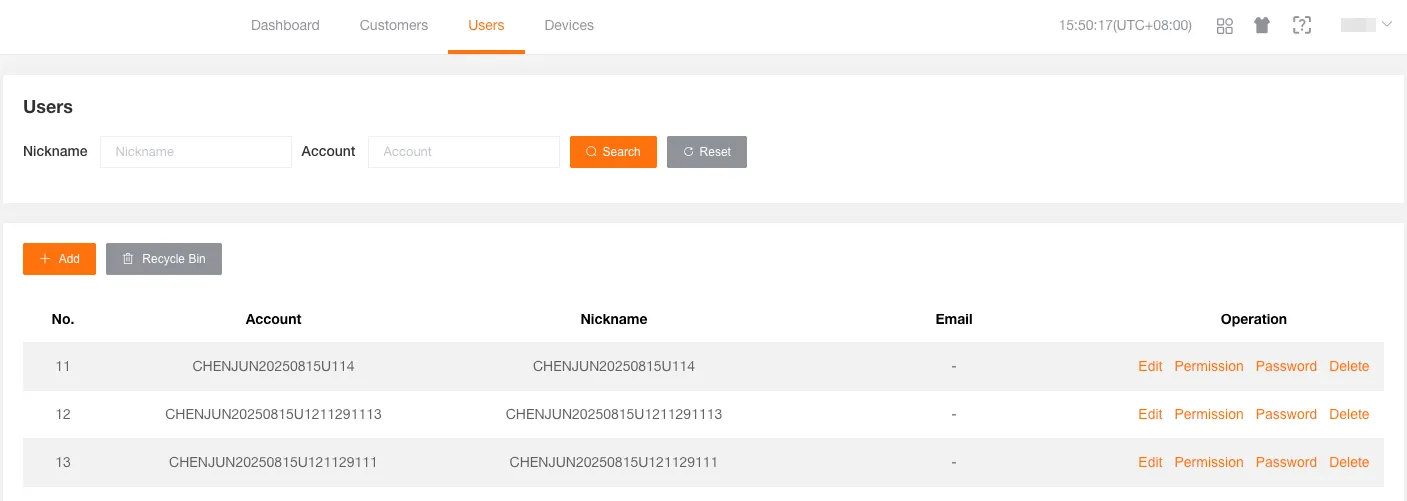
Create a Sub-user
Section titled “Create a Sub-user”Create a sub-user for the current customer.
-
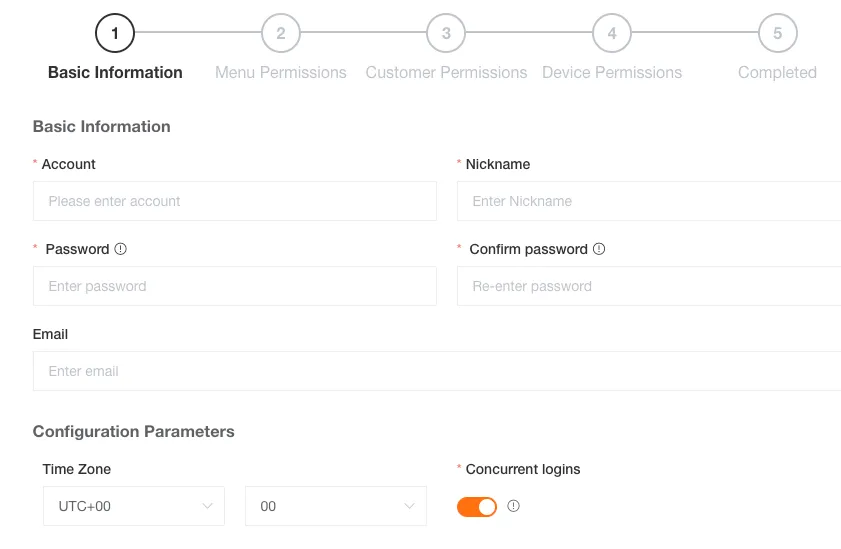
Basic Information
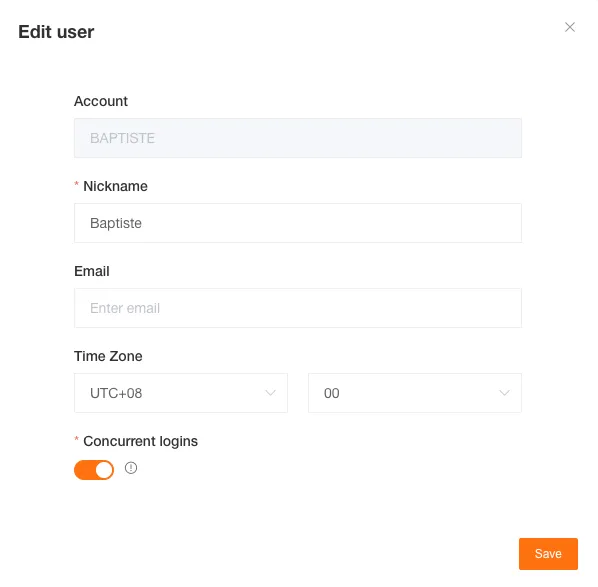
Fill in the user’s basic information, including account, nickname, login password, and user time zone.
Email is optional. Concurrent Login allows the sub-user to be logged in on multiple devices simultaneously.
-
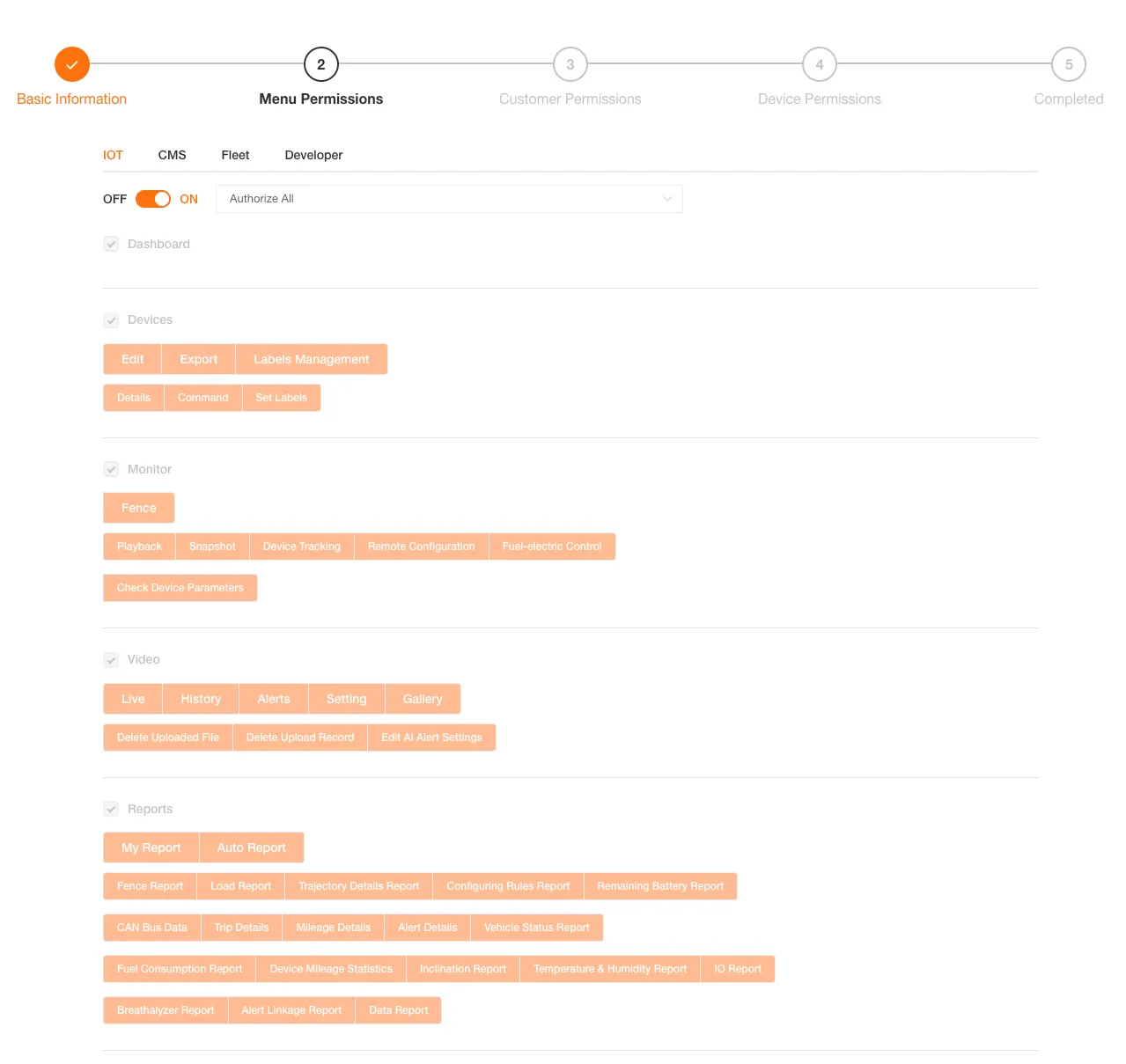
Menu & Function Permissions
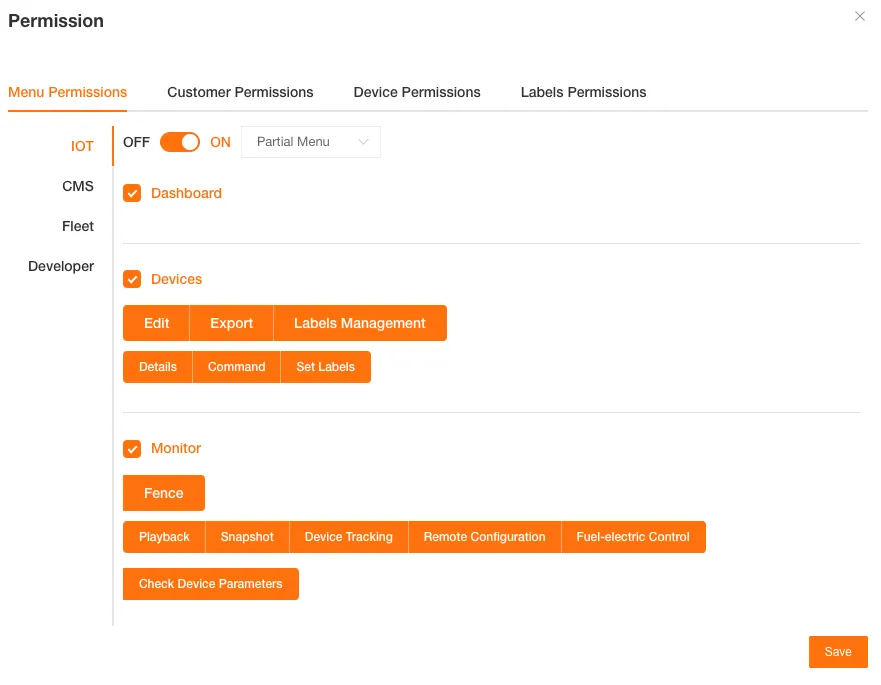
Configure the on/off access and granular menu/function permissions of platform modules such as Internet of Things (IoT), Customer Management System (CMS), Fleet, Monitor for the sub-user.
-
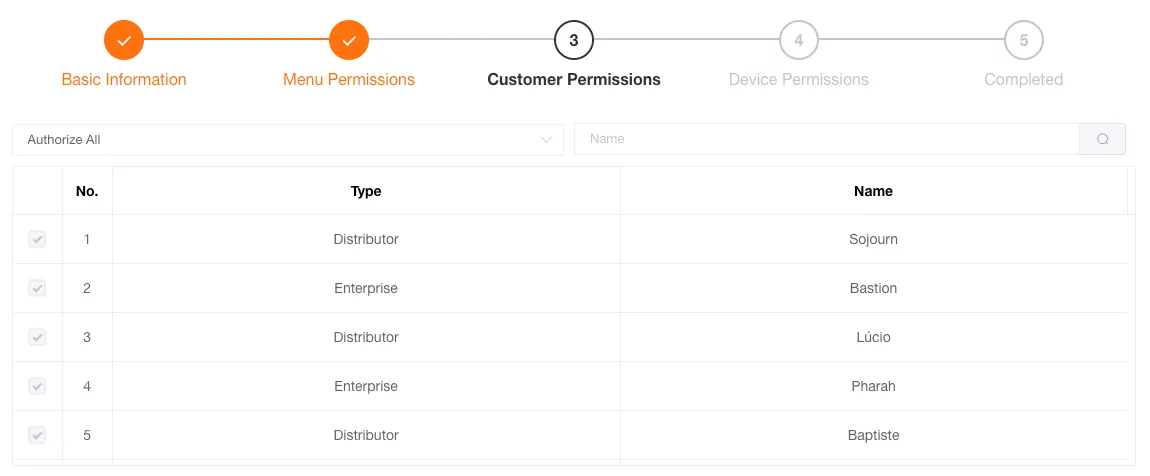
Customer Permissions
Configure the subordinate customers that the sub-user can manage. The sub-user can only view authorized customers.
-
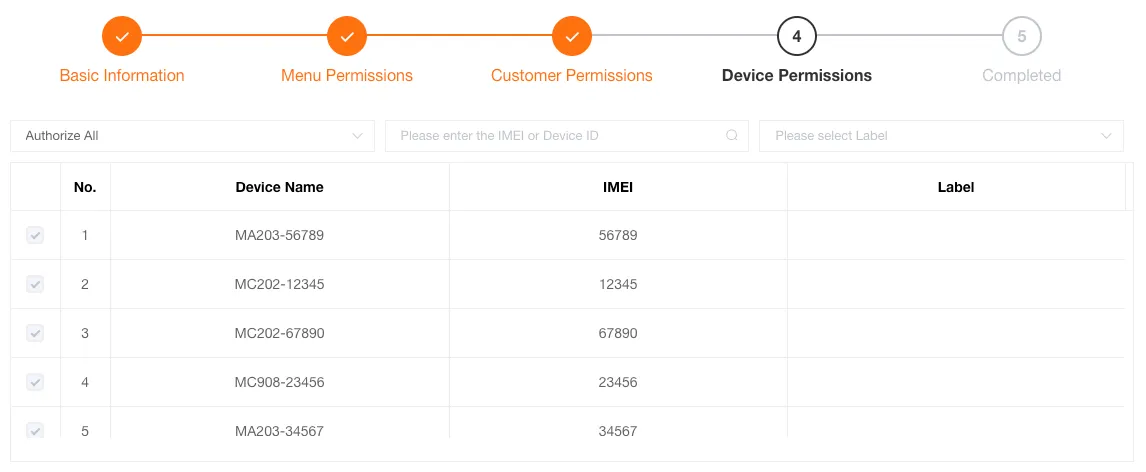
Device Permissions
Configure the devices that the sub-user can manage. The sub-user can only view authorized devices.
-
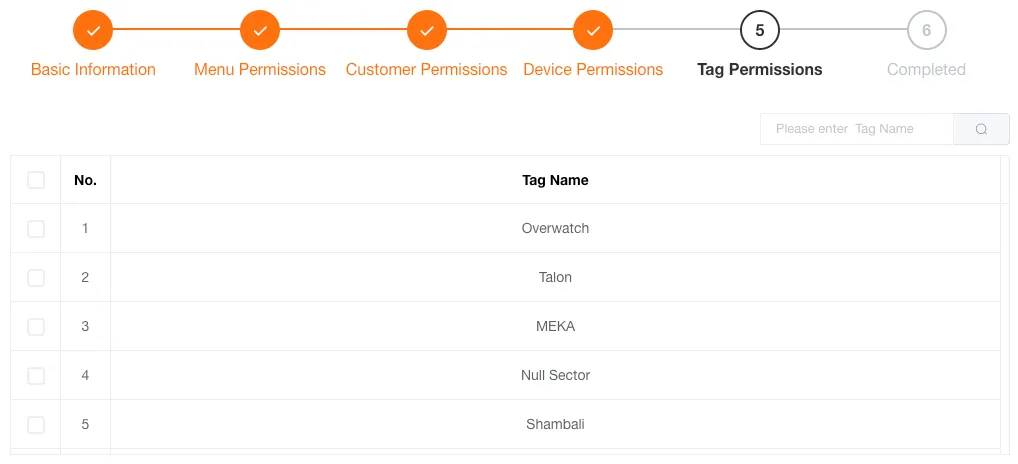
When using partial authorization, you can filter and authorize devices for the sub-user by labels.
-
-
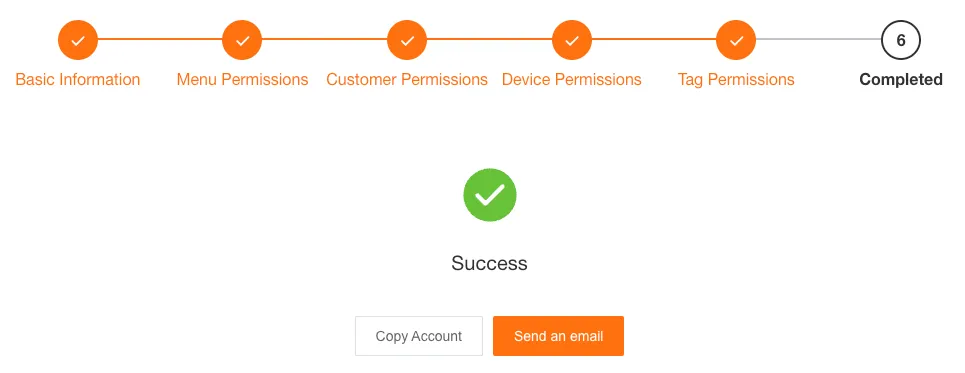
Completion
After creation you can copy the account information or share it via email.
Edit Sub-user Information
Section titled “Edit Sub-user Information”You can edit a sub-user’s nickname, email, time zone, and concurrent login settings.
Sub-user Permission Settings
Section titled “Sub-user Permission Settings”The operations are the same as the authorization functions during creation.
Delete Sub-user
Section titled “Delete Sub-user”Deleted sub-users will be moved to the recycle bin, where you can choose to permanently delete or restore them.

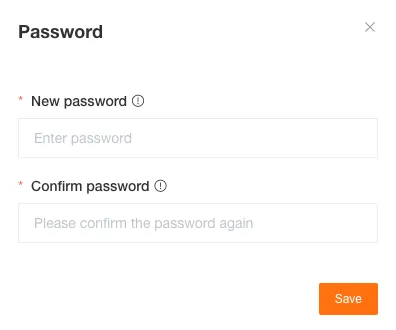
Reset Sub-user Password
Section titled “Reset Sub-user Password”If a sub-user forgets their login password, you can use this function to set a new one for them.