User Settings
Click on the nickname in the upper right corner of the platform to enter the user settings from the opened menu.
Account Information
Section titled “Account Information”- Account: Your login account, cannot be modified.
- Nickname: Used for display on the platform and can also be used as a query filter in some tables.
- Email: Currently for display only.
- Allow Concurrent Login: If this function is disabled, only one user can be logged into an account at a time. A subsequent login will force the previously logged-in user to be logged out.
- Change Password: Enter the old and new passwords to change the login password for the current account. The password must be 6 to 30 characters long and contain at least two of the following combinations: numbers, letters, special characters (
!@#$%^_-.).

Basic Settings
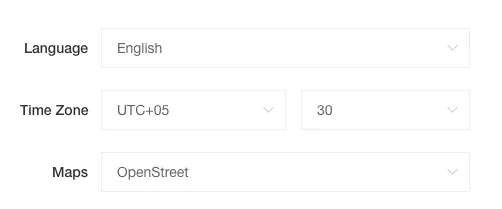
Section titled “Basic Settings”- Language: The display language of the platform will switch according to your settings and will be synchronized to the maps within the platform (only effective for Google Maps).
- Time Zone: The user’s current time zone.
- Map: The default configuration for the map mode, applied to the console and all map display modules on the platform.