Developer Platform
The Developer Platform helps you manage and monitor your OpenAPI use.
Activating the Developer Platform
Section titled “Activating the Developer Platform”- Sign in with an administrator account.
- Open Company Management.
- Select the Application Settings tab.
- Activate the Developer Platform.
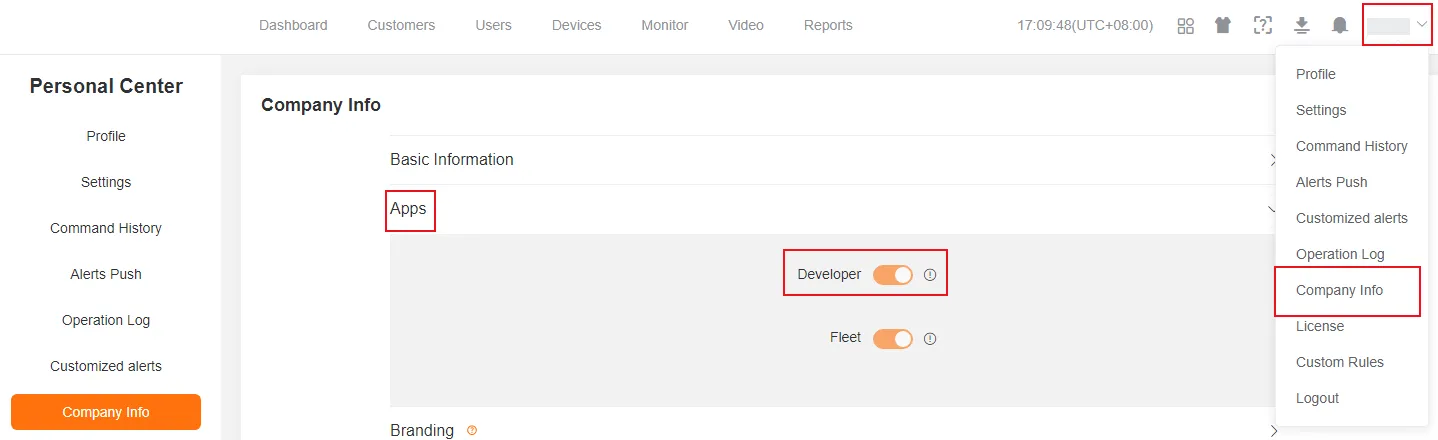
Accessing the Developer Platform
Section titled “Accessing the Developer Platform”Administrator
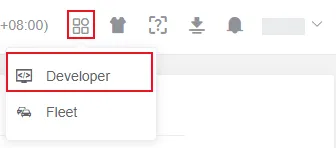
Section titled “Administrator”After activation, the administrator can open the Developer Platform from the Internet of Things (IoT) platform. The administrator can then use all OpenAPI features and services.
Other User Access
Section titled “Other User Access”-
Obtain Credentials
Ask the administrator for an API Key and an API Secret.
-
Use Credentials
Use the credentials to call the OpenAPI Create Token API. The API returns a valid
token.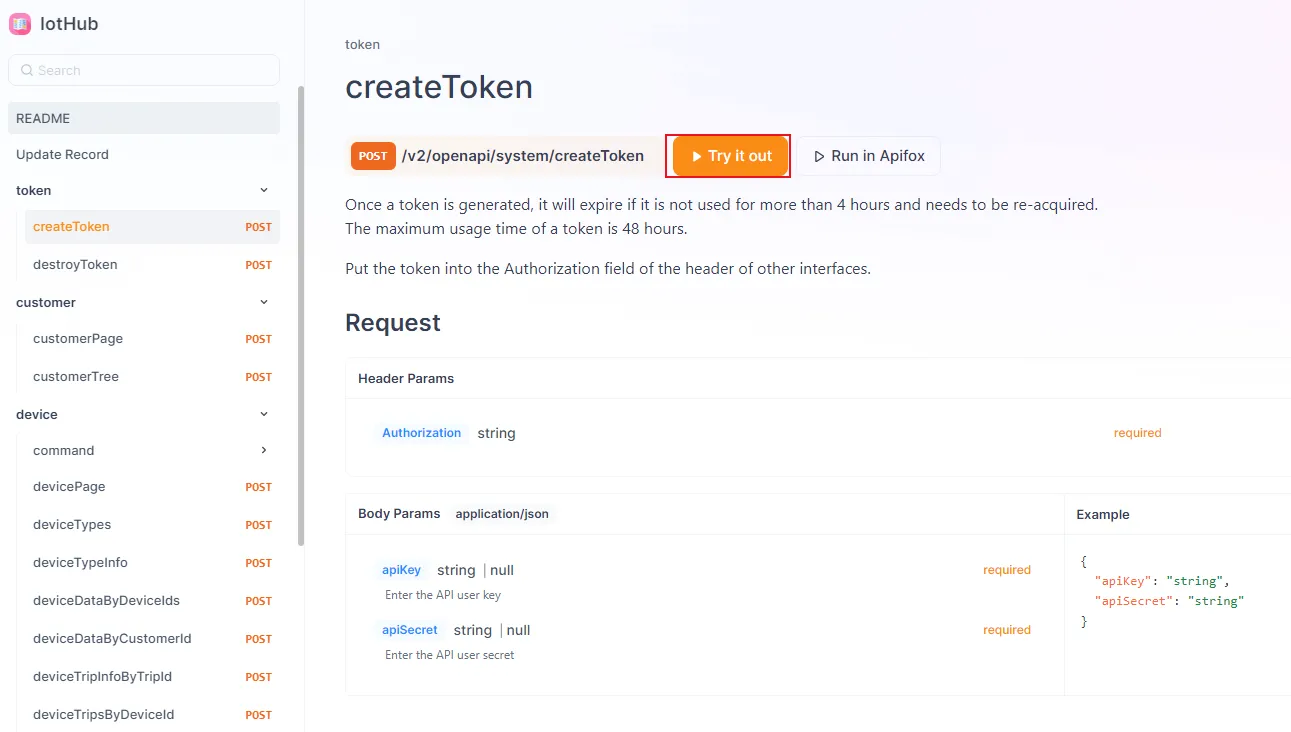
-
Access the Developer Platform
Add the
tokento the specified domain name.For example,
https://www.mettaxiot.com/#/?token={the_obtained_token}.