Individual User Management
Enabling Individual Users
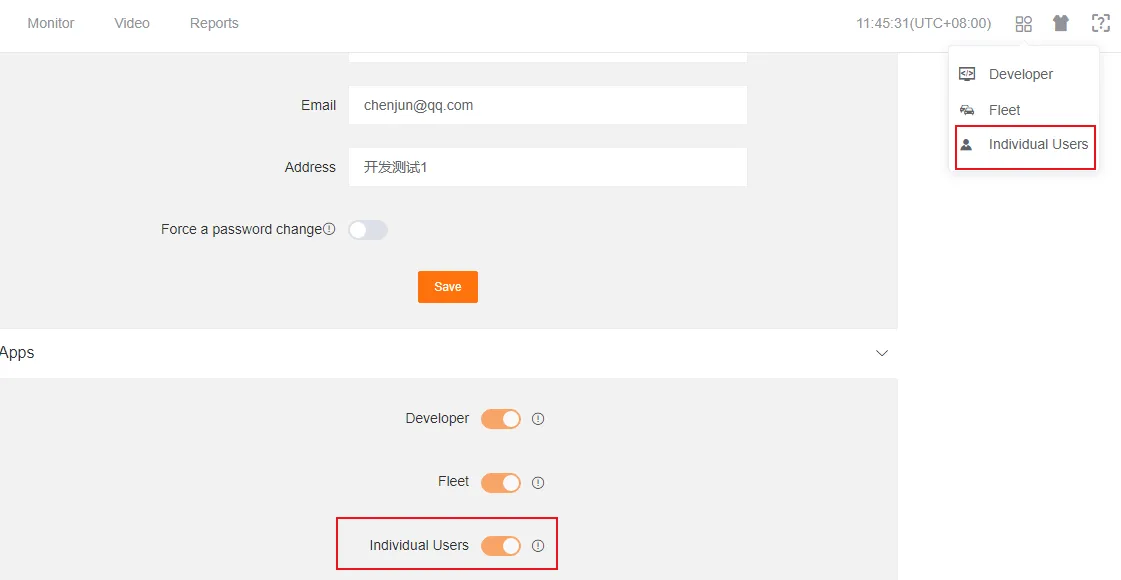
Section titled “Enabling Individual Users”The Administrator needs to go to the Personal Center, navigate to the Company Information page, and click on the Individual Users module under Application Settings to enable it.
Once enabled, the Administrator can find the Individual Users option in the top-right navigation bar. Clicking it will redirect them to the individual user platform.
Personal Device Management
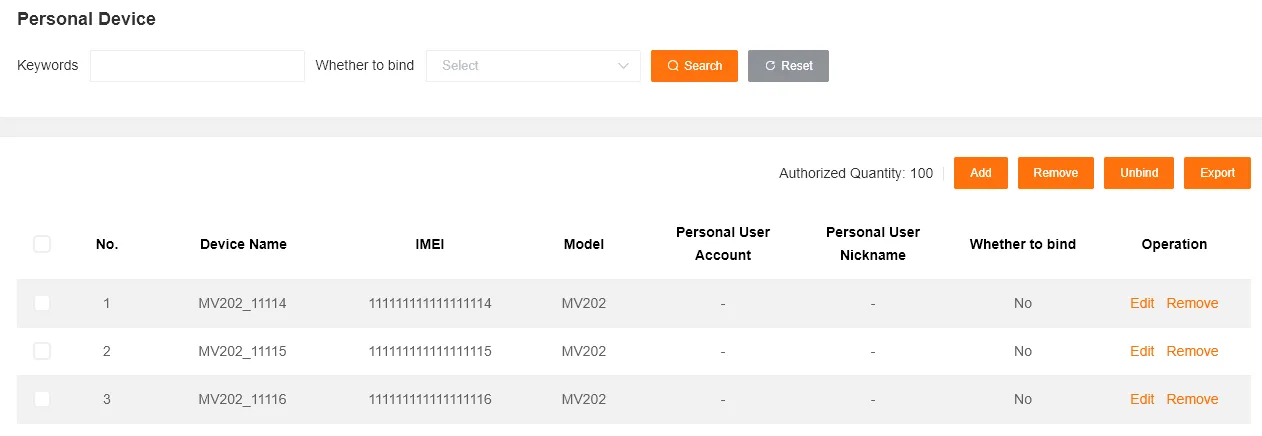
Section titled “Personal Device Management”This page displays all personal devices and supports bulk operations for adding, removing, unbinding, and exporting.
Bulk Remove
Section titled “Bulk Remove”This operation requires pre-selecting the target devices in the table.
Bulk Unbind
Section titled “Bulk Unbind”This operation requires pre-selecting the target bound devices in the table.
Authorization Limit
Section titled “Authorization Limit”This refers to the maximum number of devices a user can bind, with a default of 100. This number can be configured in the BOSS management backend. If you need to adjust it, please contact your project manager or field application engineer.
Registered User Management
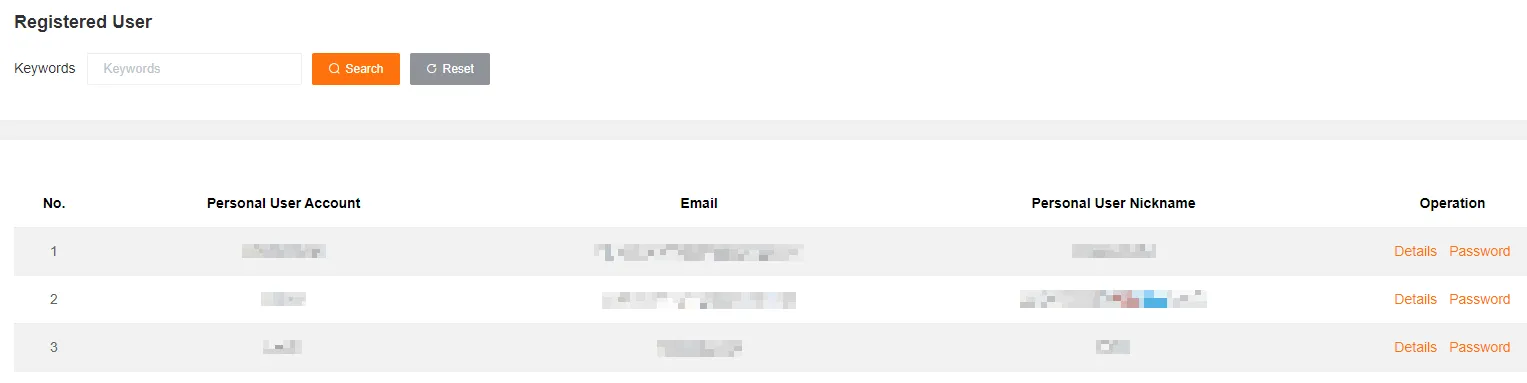
Section titled “Registered User Management”Here you can view all individual users under the current customer and their bound devices.
View User Details
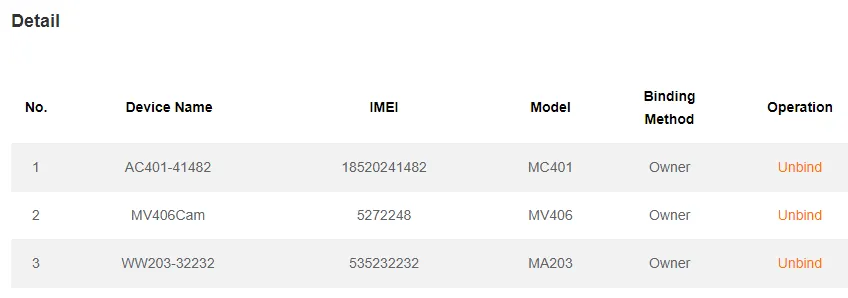
Section titled “View User Details”Click to view the devices owned by the user and those associated through sharing. You can also perform unbinding operations here.
Reset User Password
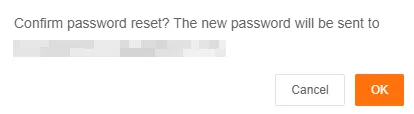
Section titled “Reset User Password”Clicking this will generate a new random password for the user and send it to them via email.
Download Center
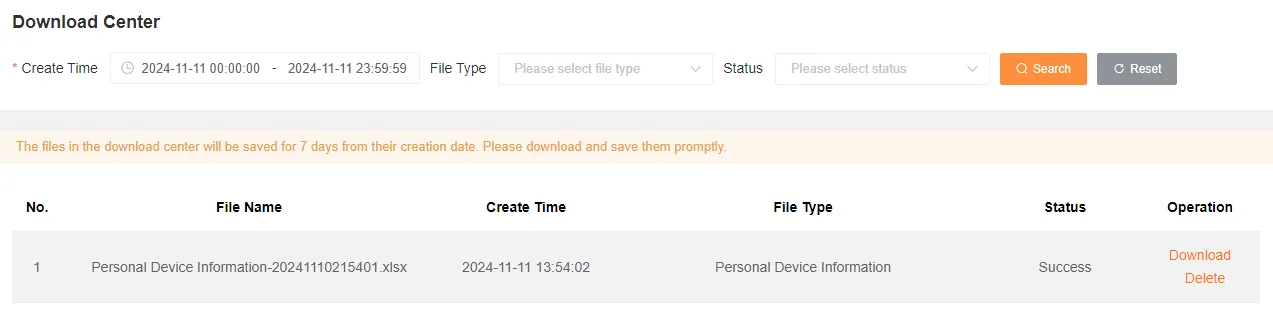
Section titled “Download Center”After successfully exporting the personal device list, you can download or delete the generated report files here.
Alert Notification Settings
Section titled “Alert Notification Settings”Administrator for Alert Notification
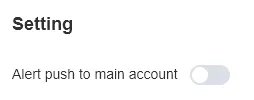
Section titled “Administrator for Alert Notification”This setting does not affect alert storage or the triggering of customized rules.
Notification Channels
Section titled “Notification Channels”Includes PC Web, Mobile App, and Email.
Disable Notification
Section titled “Disable Notification”The system will no longer notify alert messages to the administrator to which the device belongs.
Enable Notification
Section titled “Enable Notification”The system will continue to notify alert messages to the administrator to which the device belongs.