Dashboard
Home Page
Section titled “Home Page”The Dashboard is the default home page of the application, providing a centralized view of the status and basic information for all devices.
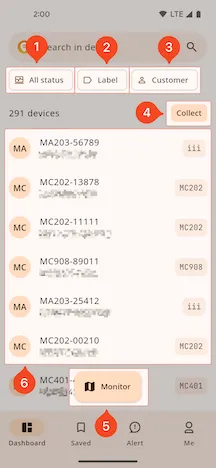
1. Filter by Device Status
Section titled “1. Filter by Device Status”You can filter the device list by status: “All”, “Offline”, “Online”, or “Inactivated”.
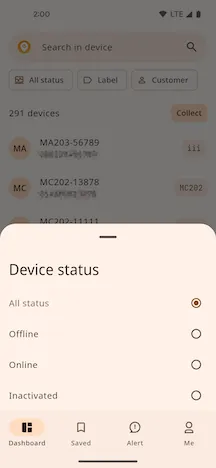
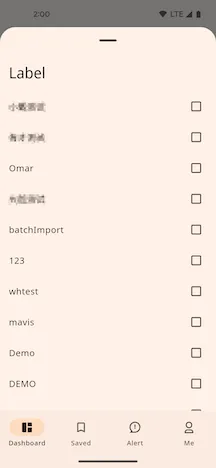
2. Filter by Label
Section titled “2. Filter by Label”Quickly locate devices with the same attributes by selecting preset labels.
3. Filter by Owning Customer
Section titled “3. Filter by Owning Customer”This supports selecting the current customer and all their sub-customers.
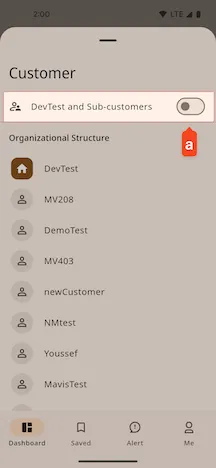
- a. Include sub-customers in the filter
4. Saved
Section titled “4. Saved”Save the first 100 activated devices from the current device list as favorites. Once saved, they can be viewed on the Saved List page.
5. Quick Jump
Section titled “5. Quick Jump”Quickly jump to the most recently saved Device Details page.
6. Device List
Section titled “6. Device List”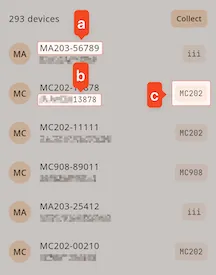
- a. Device Name
- b. Device ID
- c. Device Alias