Live Stream
Live Stream Configuration
Section titled “Live Stream Configuration”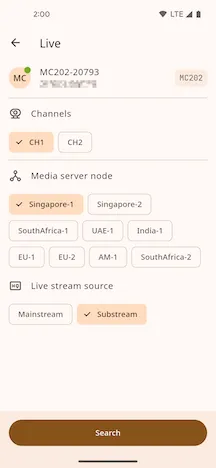
- Select the Channel,
Media server node, andLive stream source. - Select
Searchto open the Live Stream page.
Live Stream Page
Section titled “Live Stream Page”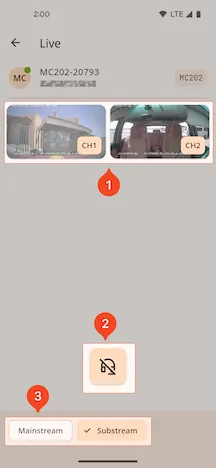
1. Live Stream Channel Display
Section titled “1. Live Stream Channel Display”- The page displays the selected Channel feeds.
- Select a feed to open full-screen landscape mode.
2. Live Intercom
Section titled “2. Live Intercom”-
Select the Live Intercom control to load it. The control panel appears after loading.
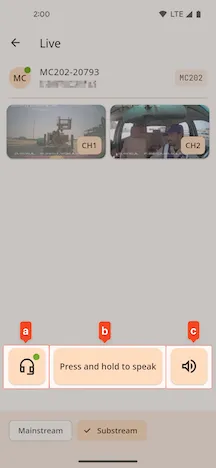
- a. Live Stream Switch
- b. Talk Button.
Press and hold to speak. Release to stop. - c. Speaker Switch