Log
Log Download
Section titled “Log Download”When a device encounters an issue and on-site technical troubleshooting is not feasible, customers can export logs via local export, platform export, or text-based command export, and provide them to technical support to facilitate troubleshooting.
Exporting Logs Locally
Section titled “Exporting Logs Locally”-
Set
Log level settingstodetailedand save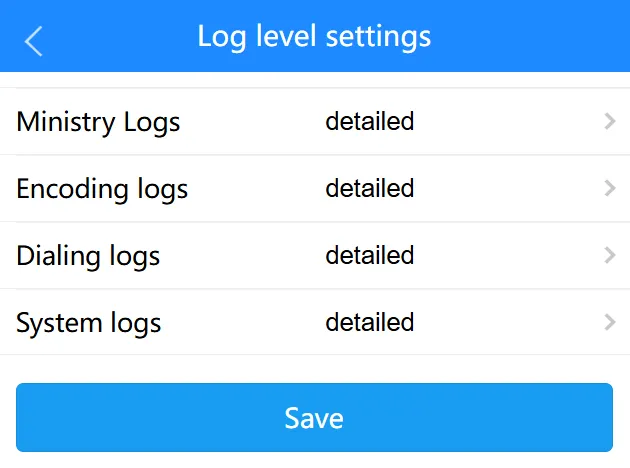
-
Power off the device, insert the
TF card/SD cardinto a computer, and view the card’s directory
Remote Log Download
Section titled “Remote Log Download”-
Refer to Remote Access to log in to the device
-
Set
Log level settingstodetailedand save -
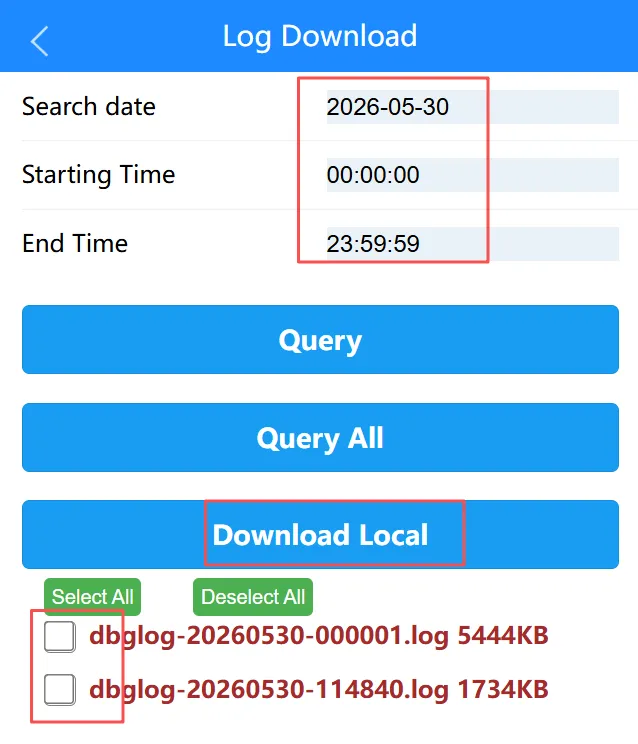
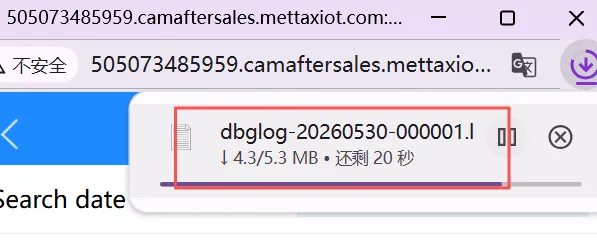
In Log Download, search for logs from a specific date, check the box to download the corresponding logs