Personal Center
Click on the nickname in the upper right corner of the platform to open the personal settings menu.
The content displayed in the menu varies depending on the user’s identity.
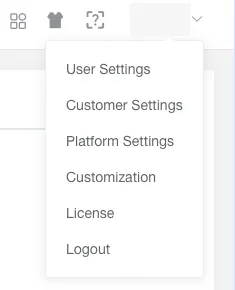
Administrator
Section titled “Administrator” User Settings User account related settings
Customer Settings Settings related to the customer account
Platform Settings Settings related to the platform
Customization Functions such as customized alert and rule
License Management Management and use of licenses
Operational Brief Viewing and management of operational briefs
Sub-user
Section titled “Sub-user” Customization Functions such as customized alert and rule