Fleet Management
Activating Fleet Management
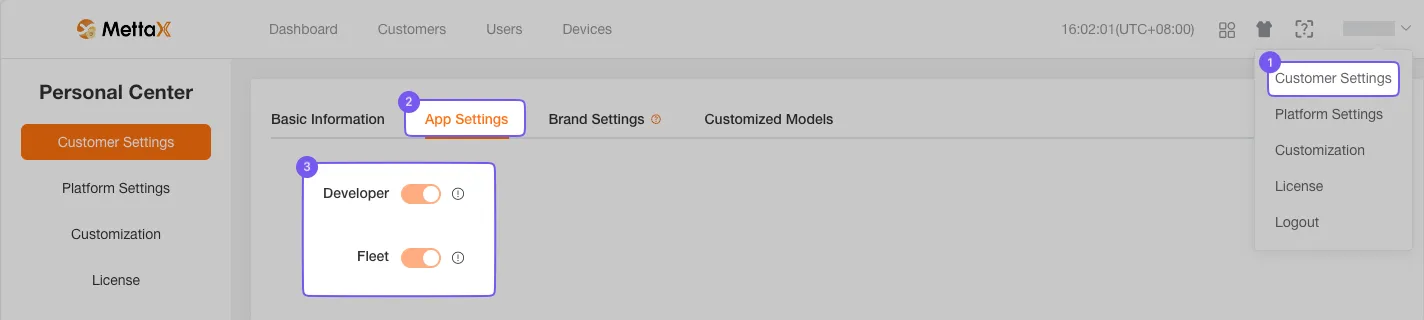
Section titled “Activating Fleet Management”The administrator needs to go to the Personal Center and navigate to the Company Information page. On this page, click on the fleet module in the Application Settings to complete the activation.
After activation, the administrator can find the Fleet Management option in the top-right navigation bar. Clicking it will redirect to the fleet management platform.
Other sub-users need to be authorized by the administrator to gain access.
Fleet Dashboard
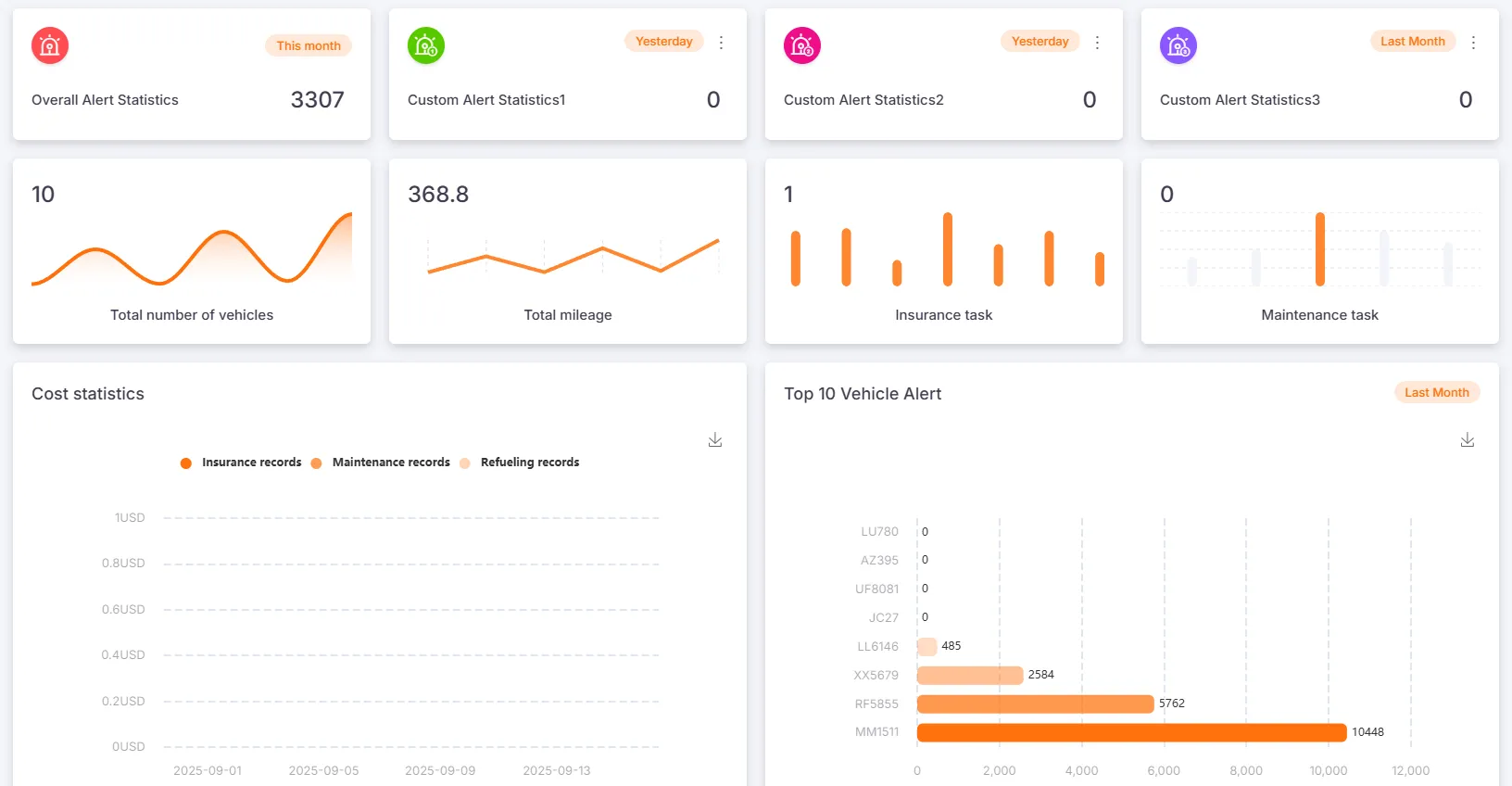
Section titled “Fleet Dashboard”The Fleet Dashboard displays the total number of vehicles, cumulative mileage, reminders for insurance and maintenance tasks within the next 30 days, and daily statistics on fuel, insurance, and maintenance expenses for the past 30 days.
Click on a card to view a statistical chart of the top 10 vehicles for that category.
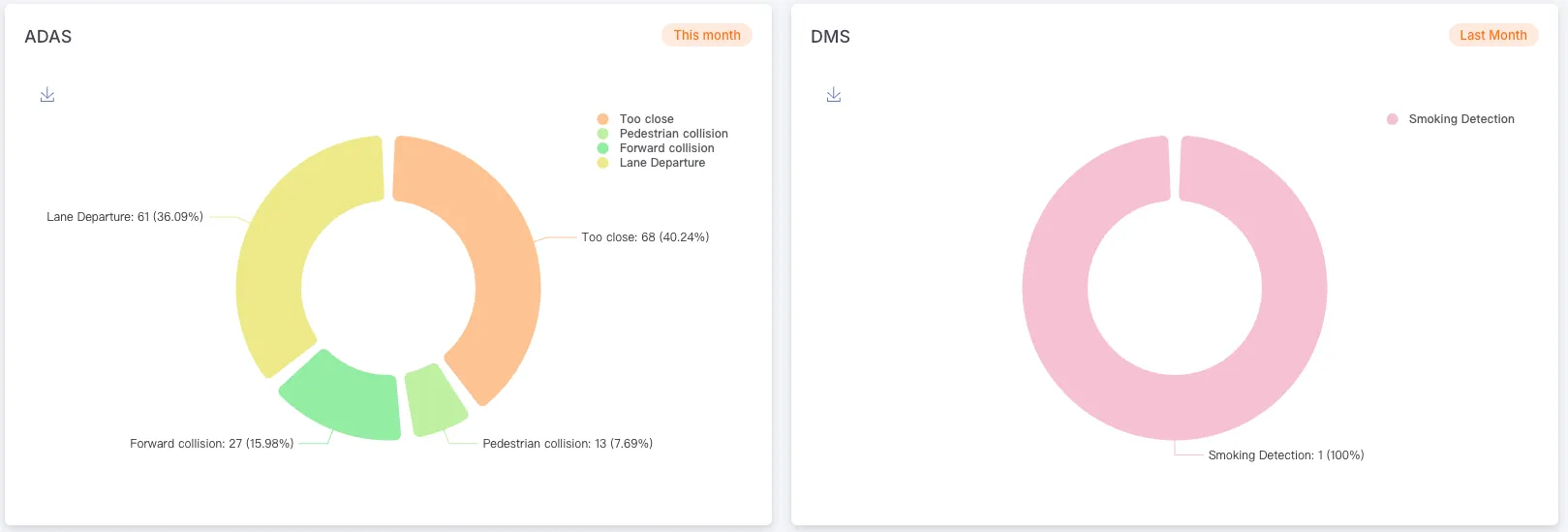
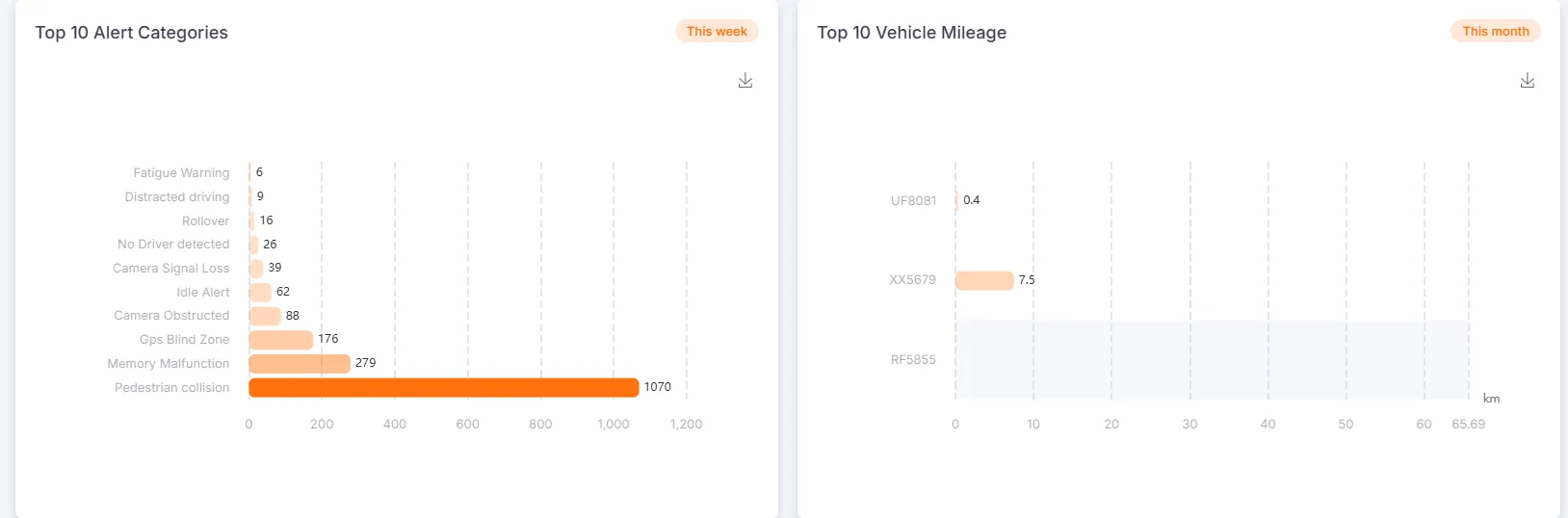
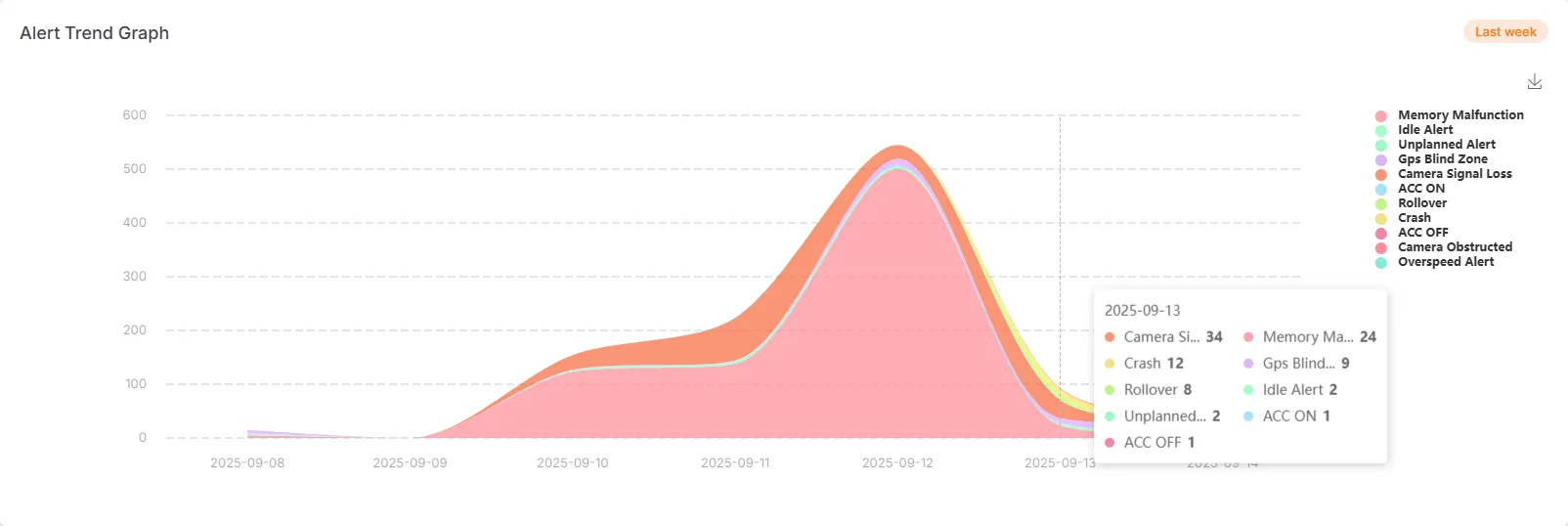
The Fleet Dashboard also includes statistics for alarms, alarm categories, top 10 vehicles by mileage, and alarm trend charts.
Custom Statistics
Section titled “Custom Statistics”Alert Statistics include a general alarm section and three customizable alarm statistics modules.
Users can edit the titles of these modules and select the alarm types to be displayed.
Chart Display/Hide Settings
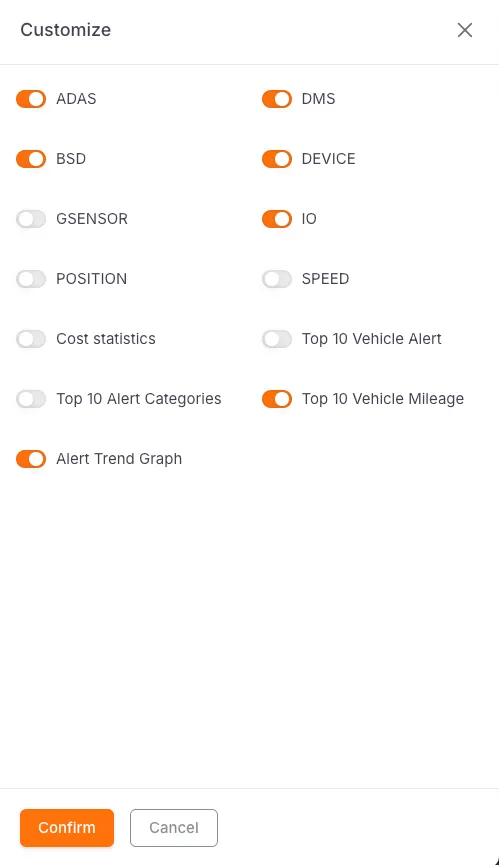
Section titled “Chart Display/Hide Settings”Users can click the gear icon in the top-right corner to access the Chart Display/Hide Settings page and select the charts to be displayed.